Festival Maker
Lesson 4: Build Your Festival
Students design and build a 3D model of their music festival using the data, playlists, creatures, and loot they collected during gameplay.
Overview
Students design and build a 3D model of their music festival using the data, playlists, creatures, and loot collected during gameplay. This session connects gameplay decisions to physical design choices, preparing students to share and explain their models in Lesson 5.
Student Objectives
- ✓ I can use data from gameplay to design a festival model.
- ✓ I can connect songs, creatures, and loot to design choices.
- ✓ I can work with my team to plan and build a 3D model.
- ✓ I can use scale and proportion when creating structures.
- ✓ I can reflect on how data informed my decisions.
At a Glance
Total: about 45 minutes-
Launch — Welcome & Grounding
4 min · Slides 3–5
Play music as students enter. Students transition from gameplay to festival building by thinking about the elements of a music festival, starting with the special merchandise found at concerts and festivals. They share ideas with others or just reflect.
-
Connector
4 min · Slides 6
Students choose the playlist from the slide that best matches their mood today, then share their choice individually or with a partner.
-
Review Visual Agenda & Agreements
3 min · Slides 7–8
Review "Today's Adventure" and the classroom agreements, reinforcing teamwork expectations for the collaborative build.
-
Festival Design & Build
1 min · Slides 9
Share an example of details from previous student festival projects.
-
Loot and How to Get It
6 min · Slides 10–15
Model how to access and engage with the data in their playlist at dataadventures.org/festival/app — tempo and loudness, plus creatures, tasks to build into the model, loot, and song names. Students use what they know about their playlist data to calculate how much and what type of loot they can collect: some loot for each region, and some based on their tempo and loudness choices. If a team forgot their playlist code, look it up by name at dataadventures.org/teachers/playlists.
-
Festival Design & Build
25 min · Slides 16–20
Students sketch their festival designs and decide what features to include, and learn what building materials they may use and how to get them. Give teams 5 minutes to design, then 20 minutes to build.
-
Reflection & Closing Ritual
2 min · Slides 21–22
Students make a connection to one or more of the Data Habits of Mind and record it in the Data Habits of Mind Tracker. Guide students through a brief "Creature Reset" calming/reset routine to close.
| Section | Time | Slides | What happens |
|---|---|---|---|
| Launch — Welcome & Grounding | 4 min | 3–5 | Play music as students enter. Students transition from gameplay to festival building by thinking about the elements of a music festival, starting with the special merchandise found at concerts and festivals. They share ideas with others or just reflect. |
| Connector | 4 min | 6 | Students choose the playlist from the slide that best matches their mood today, then share their choice individually or with a partner. |
| Review Visual Agenda & Agreements | 3 min | 7–8 | Review "Today's Adventure" and the classroom agreements, reinforcing teamwork expectations for the collaborative build. |
| Festival Design & Build | 1 min | 9 | Share an example of details from previous student festival projects. |
| Loot and How to Get It | 6 min | 10–15 | Model how to access and engage with the data in their playlist at dataadventures.org/festival/app — tempo and loudness, plus creatures, tasks to build into the model, loot, and song names. Students use what they know about their playlist data to calculate how much and what type of loot they can collect: some loot for each region, and some based on their tempo and loudness choices. If a team forgot their playlist code, look it up by name at dataadventures.org/teachers/playlists. |
| Festival Design & Build | 25 min | 16–20 | Students sketch their festival designs and decide what features to include, and learn what building materials they may use and how to get them. Give teams 5 minutes to design, then 20 minutes to build. |
| Reflection & Closing Ritual | 2 min | 21–22 | Students make a connection to one or more of the Data Habits of Mind and record it in the Data Habits of Mind Tracker. Guide students through a brief "Creature Reset" calming/reset routine to close. |
Materials & Prep
- No new pages to print if students collected loot during gameplay.
- Playlist dataFrom dataadventures.org/festival/app. Already collected during gameplay.
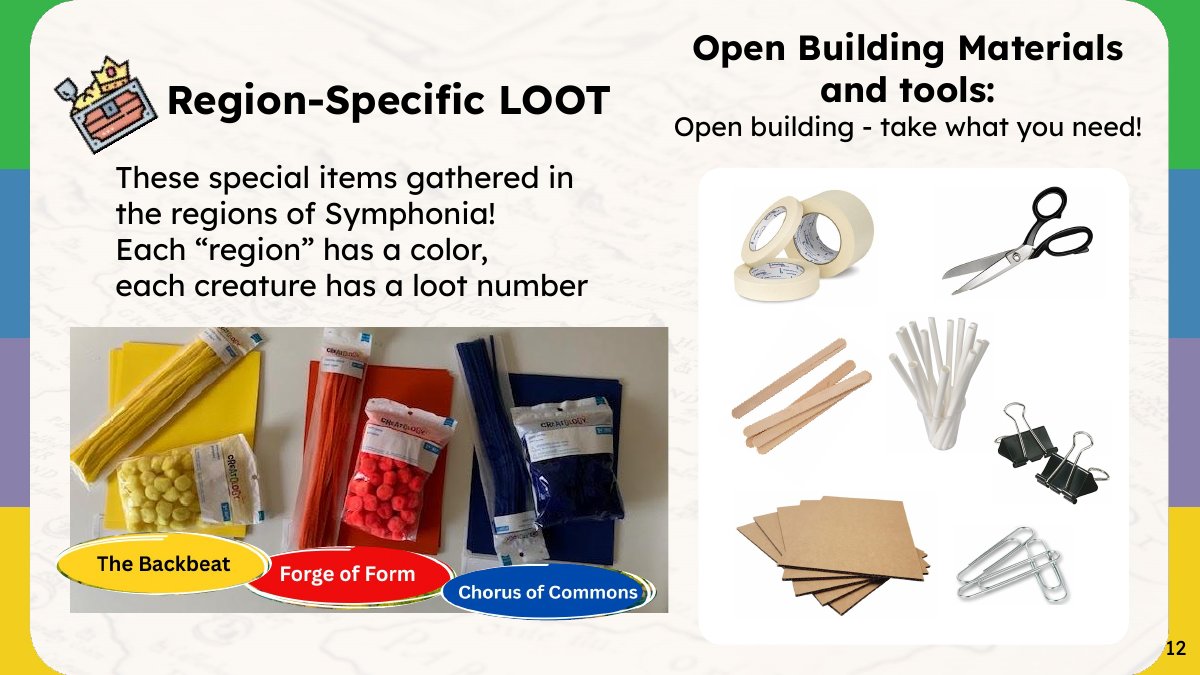
- Region-specific lootAlready collected by teams. Yellow, blue, and red pipe cleaners, pom poms, and construction paper.
- Data-specific lootSparkly pipe cleaners, black pipe cleaners, orange paper, and sparkly CDs or paper.
- General building materialsRAFT "Makerspace in a Box" or equivalent — cardboard, popsicle sticks, paper clips and binder clips.
- Scissors or teacher-approved cutting tools
- Tape (masking tape)
- Hot glue and glue sticksTeacher managed, if available.
- Optional supportsSentence frames, multilingual vocabulary cards, visual reference posters, sensory guide, noise-reducing headphones, and pause cards.
- Facilitation Slide Deck — Day 4
- Festival Maker app — dataadventures.org/festival/appEach group needs one computer or tablet with sound, headphones, and internet access during the session.
- Teacher tool — look up saved playlistsTeacher-facing (don't share with students). If a team forgets their playlist name/code, search saved playlists here.
- Reserve one laptop, Chromebook, or iPad per team — charged, with working sound and a pair of headphones to share.
- On a student device connected to the school network, open dataadventures.org/festival/app and play a song — songs play through YouTube on the site, so this confirms the school's web filter allows both the app and YouTube, and that audio comes through.
- Bookmark the teacher playlist lookup page (dataadventures.org/teachers/playlists) on your own device — you'll need it if a team loses their playlist code.
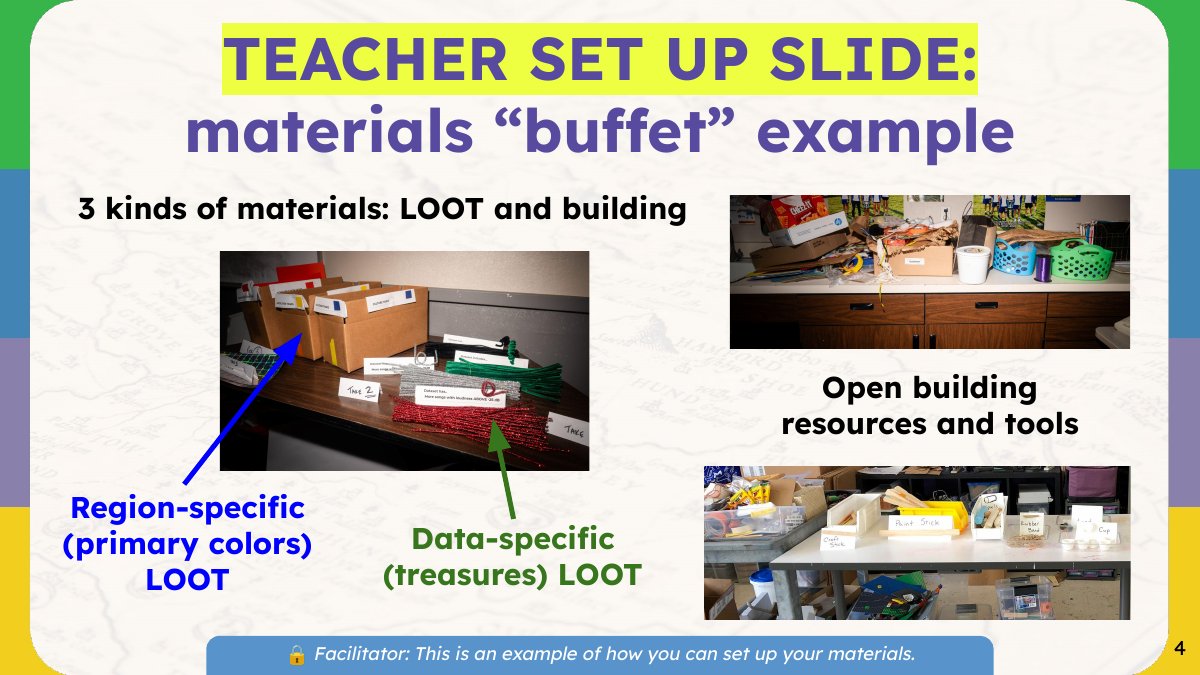
- Set up the loot buffet with region-specific loot, data-specific loot, and general building materials.
- Ensure all student data and materials from gameplay are available.
- Cue music for arrival.
- Display the visual agenda and sensory guide.
- Store festival models for the next session.
- Reflect on pacing, engagement, and collaboration.
- Note any misunderstandings in connections between data and design.
Slides & Teaching Guide
How to use these speaker notes
Every slide's notes follow the same four labels so you can find what you need at a glance.
- Time:
- Approximate pacing for the slide.
- Example Script:
- Suggested language to say to students. Paraphrase freely to match your voice.
- Do:
- Appears only when a specific action or facilitation move is needed (invite a volunteer, collect a data sheet, etc.). If you don't see a "Do" line, the script is all that's needed.
- Purpose:
- Why the slide is here and what it's building toward in the lesson.
-
Slide 2 · Lesson 4
No teaching notes for this slide.
-
Slide 3 · Lesson Four
1 minToday we are moving from gameplay into festival design. You have collected songs on your playlist, creatures and tasks that the creatures can do to make your festival fun, and you also have some loot that you collected in the regions of Symphonia. Today, your job is to bring all of those things together to design and build a 3D model of your music festival. Your festival will not just look amazing, but it will show evidence of the choices your team made during gameplay. The materials you use to build, the tasks that your creatures can do for your festival, the songs on your playlist are all based on your data, and the choices you made.
Purpose: Introduces Day 4 and signals the transition from data collection and analysis to designing and building a music festival model.
-
Slide 4 · TEACHER SET UP SLIDE: materials “buffet” example
Do: Hide this slide before presenting to students. Use it to prepare the room before class. Set up a materials buffet with clearly labeled areas for: Region-specific loot Data-specific loot General building materials Keep scissors, cutting tools, and hot glue in a teacher-managed area. Consider creating a clear traffic flow so students know where to get materials and where to return extras. If students are likely to rush the materials table, release one team at a time or assign one materials manager per team. Materials needed: Region-specific loot Data-specific loot General building materials Tape Scissors or teacher-approved cutting tools Hot glue, teacher managed if available Labels or signs for materials areas Think about were you can store the festivals between Lesson 4 and Lesson 5
-
Slide 5 · Welcoming and Grounding
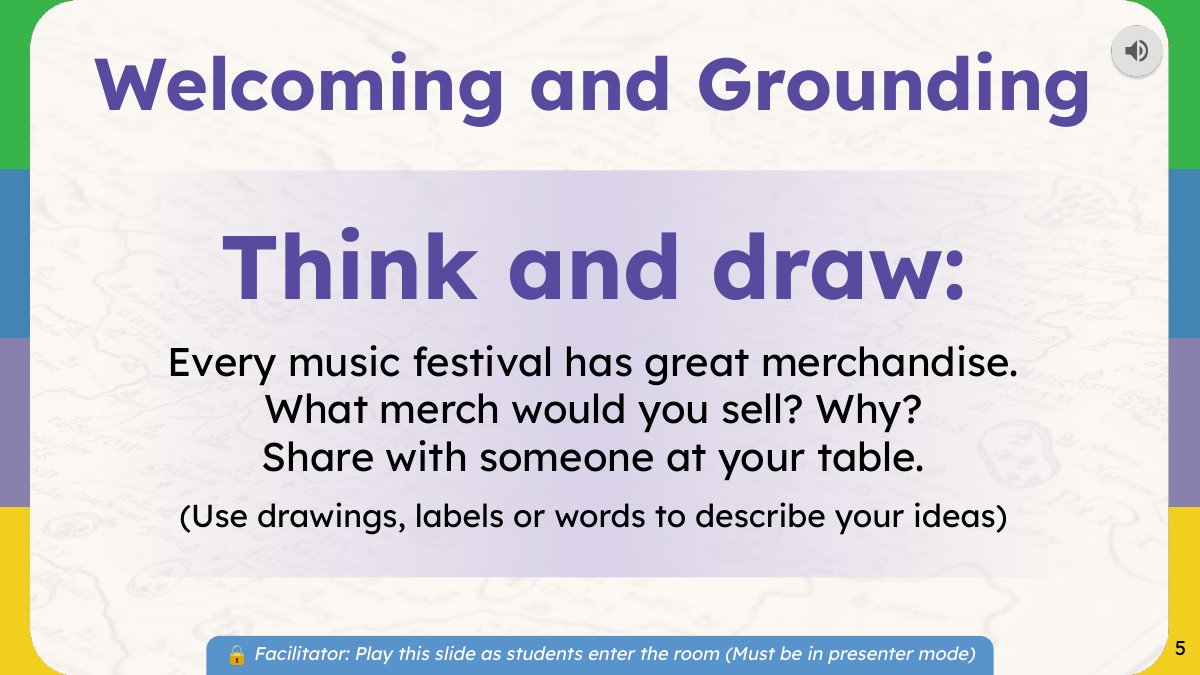
3 minAs you listen to the music, think about this question: Every music festival has merchandise such as tee-shirts, hats, posters, and collector items. What merch would you sell for your festival and what would it look like? Why would you pick that merchandise to sell? You can sketch an idea, write words, or just think quietly. This is a warm-up, not a final design.
Do: Play music as students enter. (Linked to the upper right corner of the slide). Have paper and pencil ready at student work space. After a minute or two, invite students to share with a partner, then a few students can share whole class.
Purpose: Activates creative thinking and helps students begin considering the elements that make a music festival engaging and successful.
-
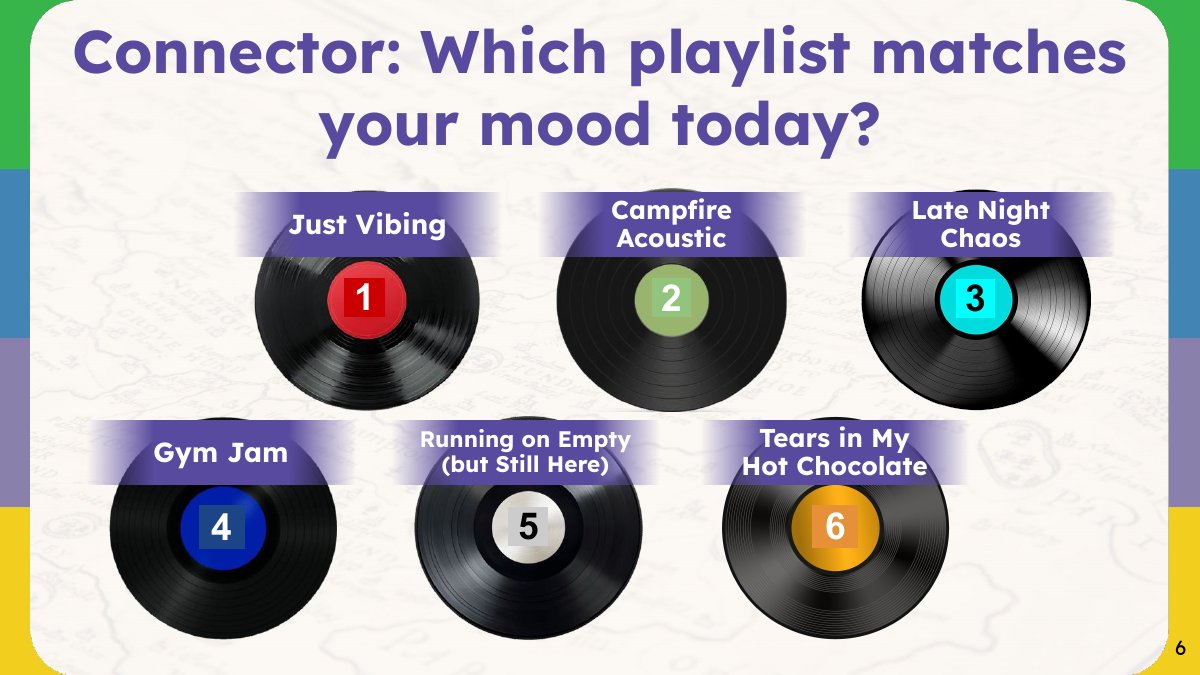
Slide 6 · Connector: Which playlist matches your mood today?
4 minFor today’s connector, choose the playlist that best matches your mood right now. You can say your answer, point to it, hold up fingers, or just think about your choice. There is no right answer. This is just a quick way to notice how music can connect to mood, energy, and identity.
Do: Give students quiet think time first. Invite students to respond by speaking, pointing, holding up fingers, or sharing with a partner.
Purpose: Builds community and provides a low-risk opportunity for students to connect through music and personal expression.
-
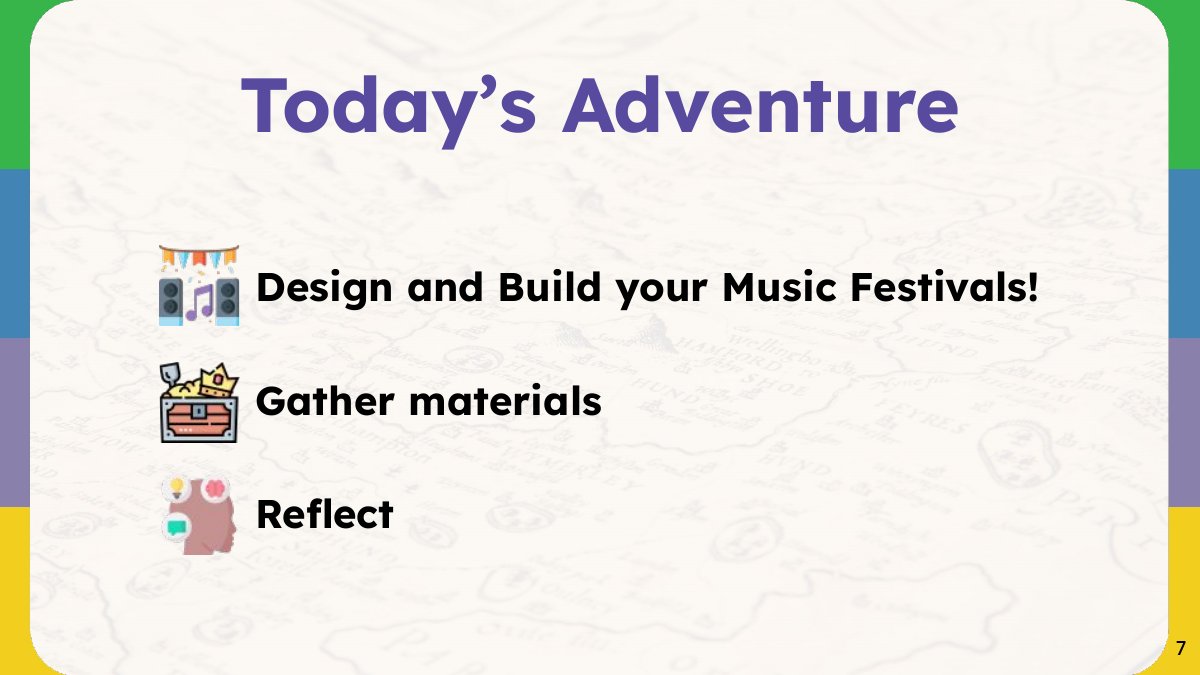
Slide 7 · Design and Build your Music Festivals!
2 minHere’s what we are doing today. First, we’ll ground ourselves and think about festival design. Then, we’ll move into the main work: designing and building your music festival model. We’ll end by reflecting on one Data Habit of Mind.
Do: Give students quiet think time first. Invite students to respond by speaking, pointing, holding up fingers, or sharing with a partner.
Purpose: Provides an overview of the day's learning goals and helps students understand the sequence of activities.
-
Slide 8 · Our Classroom Agreements
1 minuteBefore we start, let’s return to our classroom agreements. These agreements help us work as teams, try new ideas, and make sure everyone has a way to participate. As we play today, we will need to listen, take turns, use evidence, and help each other stay with the process.
Purpose: Reinforces shared expectations that support collaboration, creativity, and respectful participation during the design challenge.
-
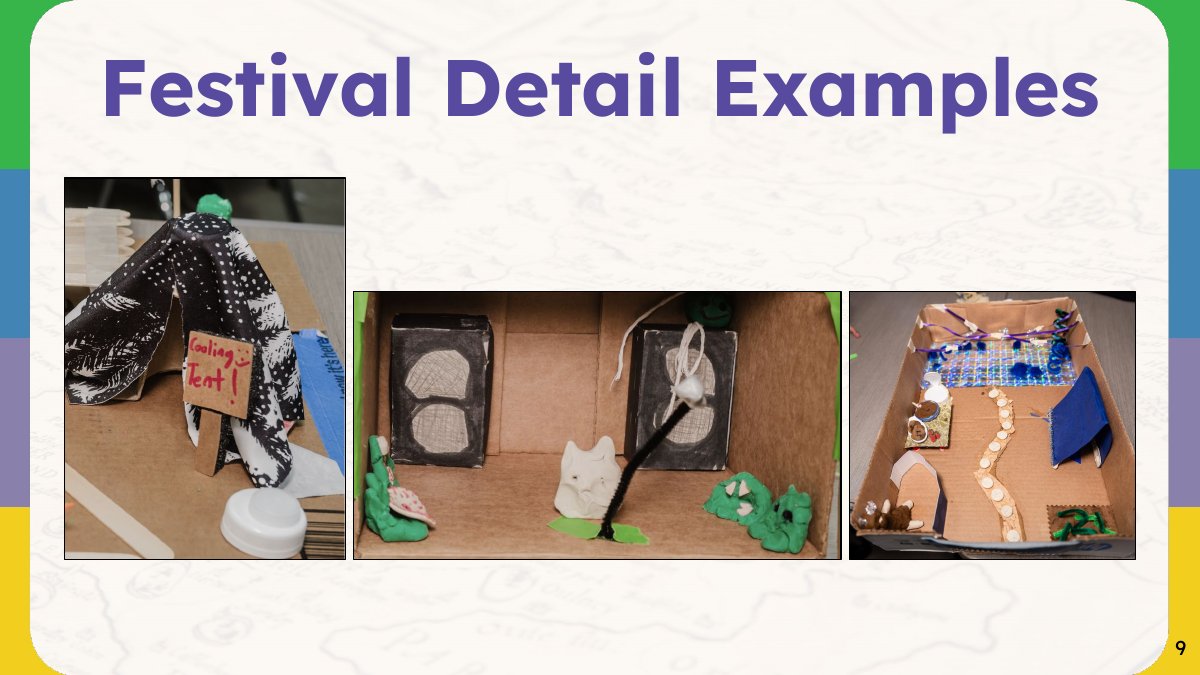
Slide 9 · Festival Detail Examples
1 minHere are some examples of festival models. These are not models you have to copy. They are here to help you imagine what is possible. As you look, notice how people used materials to show spaces, structures, stages, paths, decorations, or gathering areas.
Do: Give students a moment to look closely at the examples.
Purpose: Inspires students by providing examples of festival models and helping them visualize the design challenge.
-
Slide 10 · Loot and Building Materials
1 min.Now let’s talk about how you get more loot and how and where to find what you need to build
Purpose: transition
-
Slide 11 · Build Your Festival!
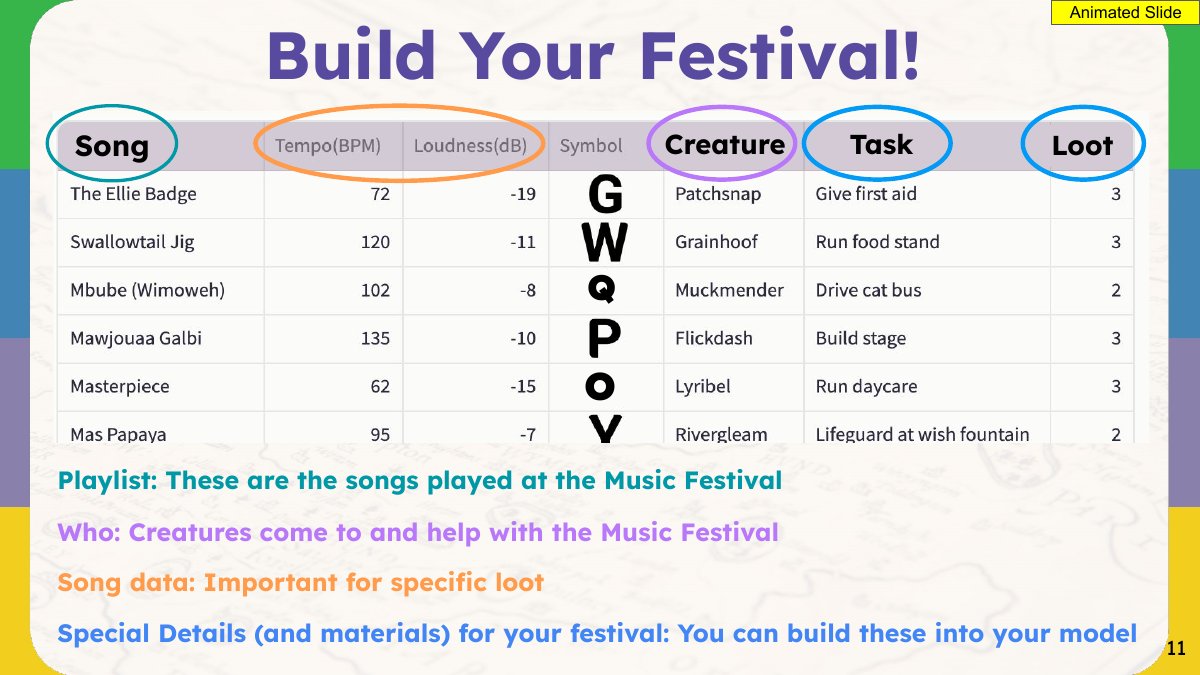
2 minBefore your team starts building, review the information (and loot and tasks) that you collected during gameplay. This is an example of what your playlist on dataadventures.org looks like and all the data it has in the table you made with your choices of songs and creatures! You have a list of songs, with their names, in the playlist <CLICK> You gathered creatures who will come to your festival, and help build things for your festival. <CLICK> Song data will help you get specific loot (and you also have your region specific loot too!) <CLICK> This table also lists the cool features you can build into your festival, like a food stand, or a cat bus <CLICK> And the amount of loot that each creature adds to your team’s building supplies
Do: Direct teams to review their gameplay materials before collecting building supplies. Have students check: creature tasks, selected songs, collected loot.
Purpose: Helps students connect the data they collected during gameplay to the design decisions they will make while building their festival.
-
Slide 12 · Region-Specific LOOT
1 minYou have already collected your special region-specific loot to build with as you finished the challenge connected to each region. For example, maybe your team has 8 yellow chenille stems, 5 blue pom-poms, or another material connected to your region. You will also need more tools and materials to build your festival, so you will have access to the materials you see here (point to the materials buffet that you set up in your classroom). You might use cardboard, tubes, popsicle sticks, tape, scissors, or other materials to build parts of your festival. For example, you might build a stage, a merch booth, a first aid station, pathways, decorations, or a space for your creatures. You do not need to build everything on your creatures’ list. It is okay to choose the parts that make the most sense for your festival and your team’s design.
Purpose: Explains the different types of materials available and how loot earned through gameplay can be used during construction.
-
Slide 13 · Data-Specific Loot
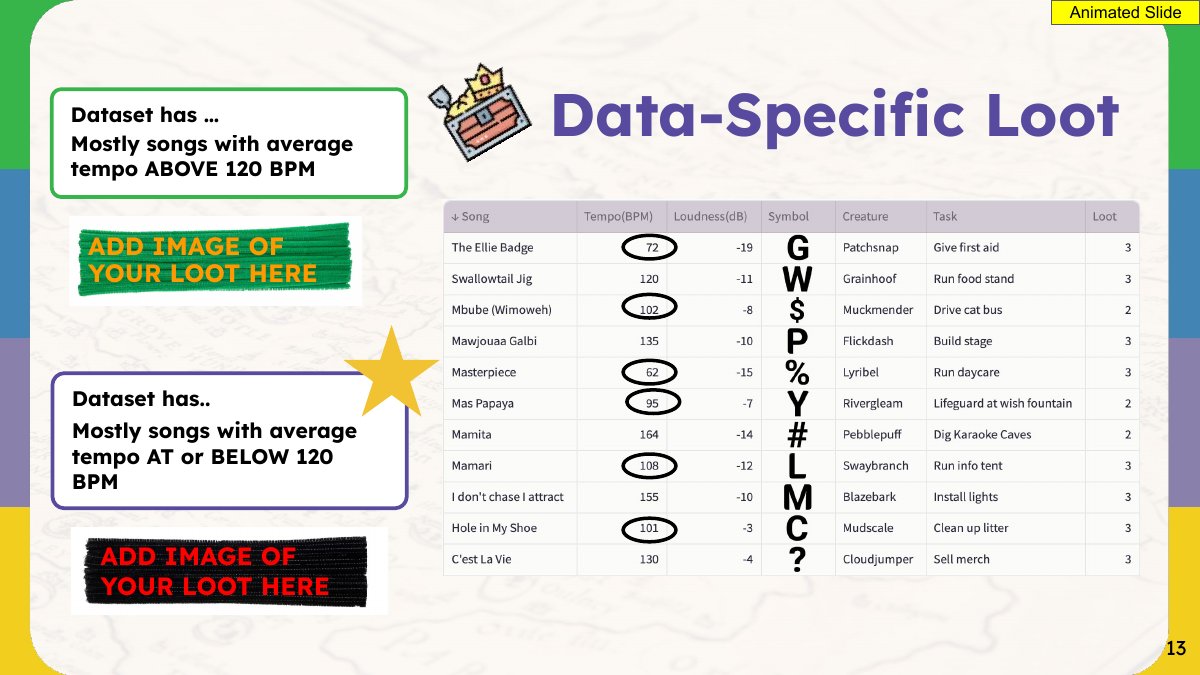
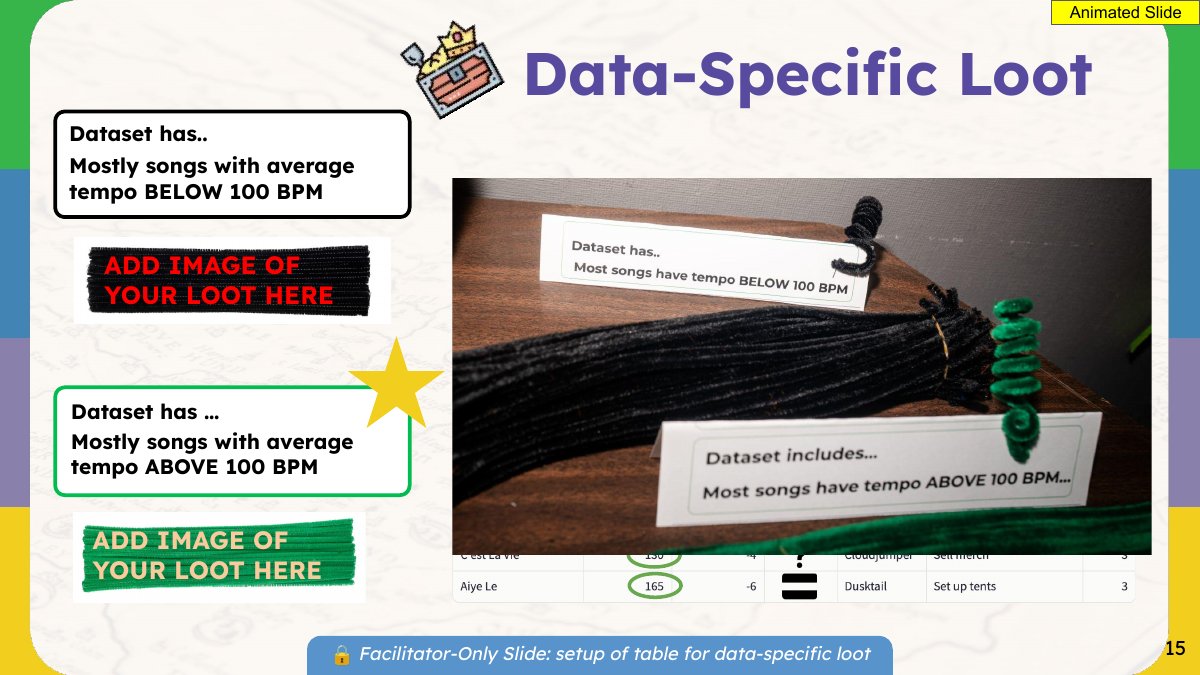
2 minWe can also add some special loot that can help us see differences in our playlist datasets. For the tempo of our songs, let’s look and see how many songs are above and below the mean of all the songs in the kingdom (120 BPM). It looks like most songs are at or below 120 BPM. This means we would grab a black pipe cleaner (INSERT WHATEVER LOOT YOU WANT TO ASSIGN TO THIS) Teacher Tip: For data-specific loot, you will decide what materials are “assigned” to each category based on what is on hand (or supplied in the Makerspace in a Box supply kit). Update the images on the slides based on the materials on hand.
-
Slide 14 · Dataset has …
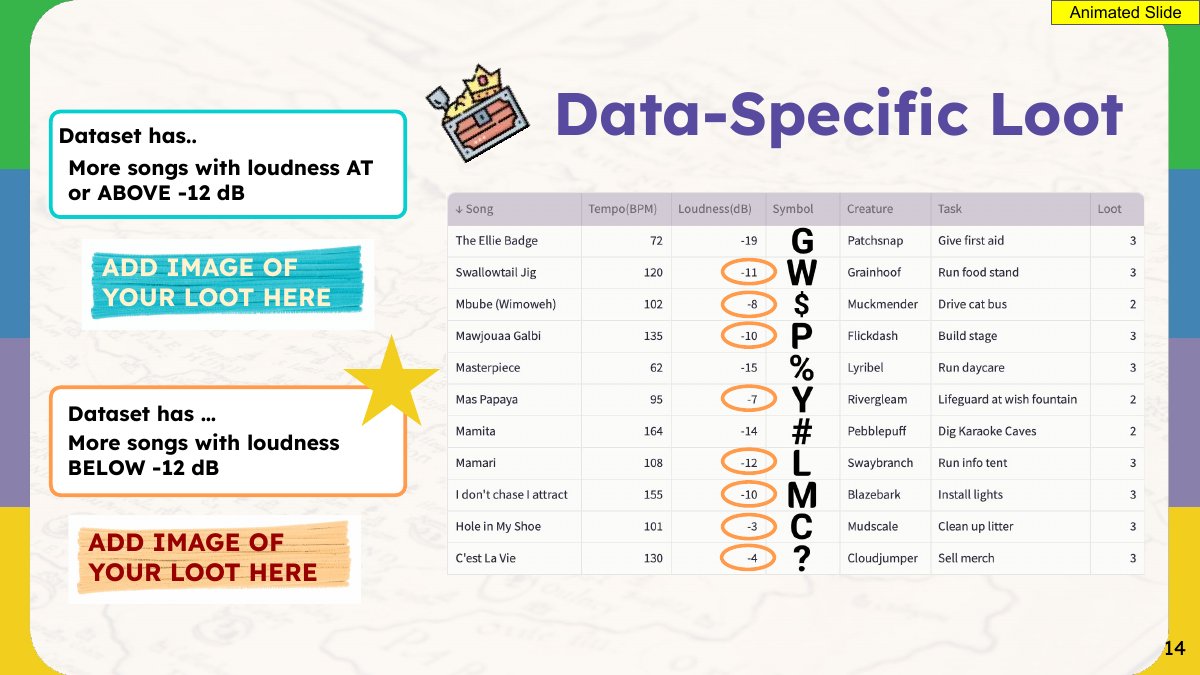
1 minWe can also add some special loot that can help us see differences in our playlist datasets. For the loudness of our songs, let’s look and see how many songs are above and below the mean of all the songs in the kingdom (-112 dB). It looks like most songs are below -12 dB. This means we would grab an orange pipe cleaner (INSERT WHATEVER LOOT YOU WANT TO ASSIGN TO THIS) Teacher Tip: For data-specific loot, you will decide what materials are “assigned” to each category based on what is on hand (or supplied in the Makerspace in a Box supply kit). Update the images on the slides based on the materials on hand.
-
Slide 15 · Data-Specific Loot
No teaching notes for this slide.
-
Slide 16 · Design Time
you’ll have 5 minutes to design, and then 20 minutes to build
Purpose: transition
-
Slide 17 · Design Your Festival!
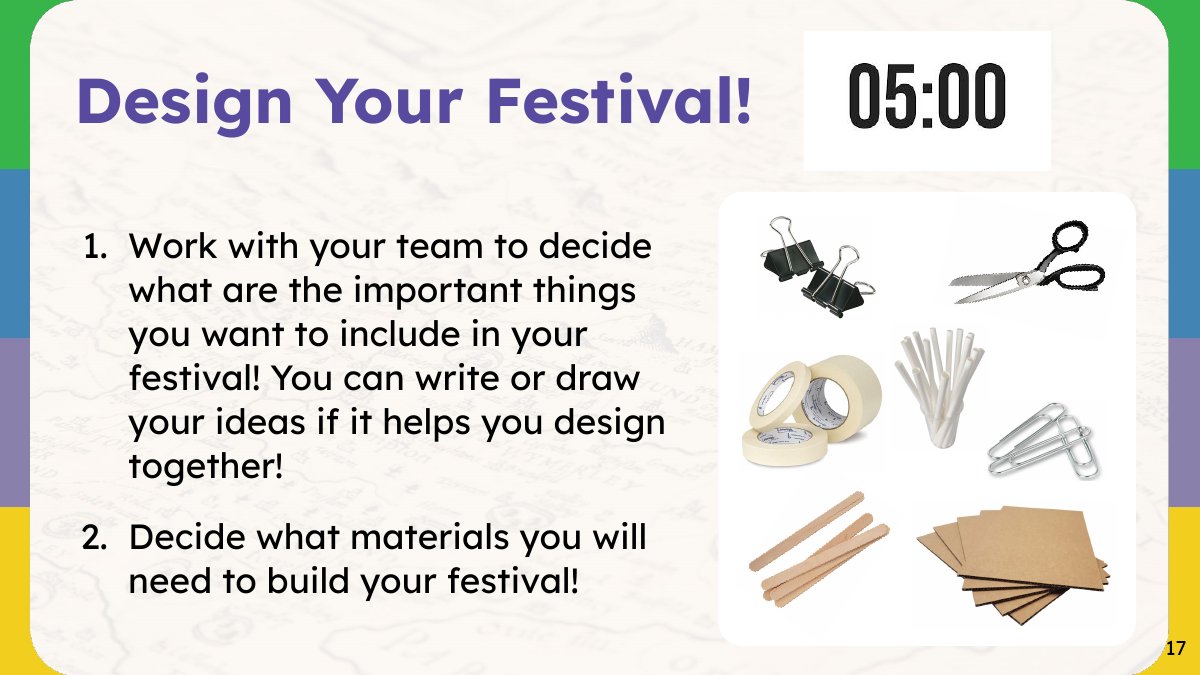
5 min.Before you dive into building, you will have 5 minutes to design with your team. After that, you will have 20 minutes to build. Look at your list of tasks, the materials you already have, and the materials available at the materials buffet. Think about the songs you listened to and liked on your playlist. What kind of vibe or feeling do you want creatures at your festival to have? Also think about the features you want to include in your festival. Will it have a stage? A merch booth? A first aid station? A fountain? A creature hangout area? Pathways? Decorations? During these 5 minutes, your team should think about your design and what you need to build it. You may sketch your ideas on paper so your team can see what you are imagining. You may also create a quick shopping list before you come to the materials buffet. Include the materials you need and about how much you need. After 5 minutes, once your team has a design idea and knows what you need to start building, send one person from your group to check in with me. Tell me your design idea and show me your materials list. Once I give you the thumbs up, you can start building. (20 minute timer is embedded in the building slide (slide 19). Any questions before we begin?
Do: Provide paper and pencils for teams that want to sketch their festival design. Start the 5-minute timer. Circulate while teams design and support teams with planning prompts. After 5 minutes, have one student from each team come to you for a quick design/materials check-in.
Purpose: Guides teams through the planning process before construction begins, encouraging intentional design and collaboration.
-
Slide 18 · Build Time
No teaching notes for this slide.
-
Slide 19 · Build Your Festival!
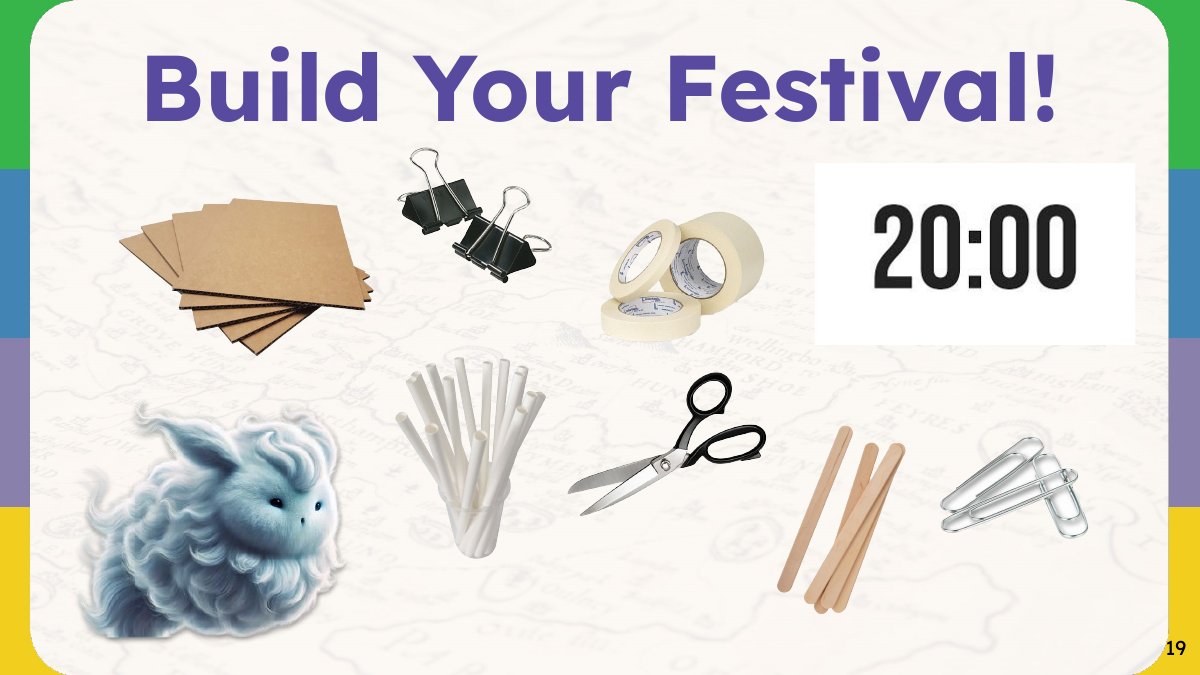
20 min.Now it is time to build. As your team works, remember that your model should show your festival choices. Use your materials with purpose.
Do: Start the timer. Release teams to gather materials. At the 10-minute mark, give a midpoint reminder: “Pause and check: What part of your model clearly shows your data or gameplay choices?” At the 3-minute mark, give a wrap-up warning: “Finish the part you are working on. Save loose materials. Be ready to pause and explain one design choice.”
Purpose: Provides dedicated time for students to apply their ideas, resources, and creativity to construct their festival model.
-
Slide 20 · Task = Sculpture
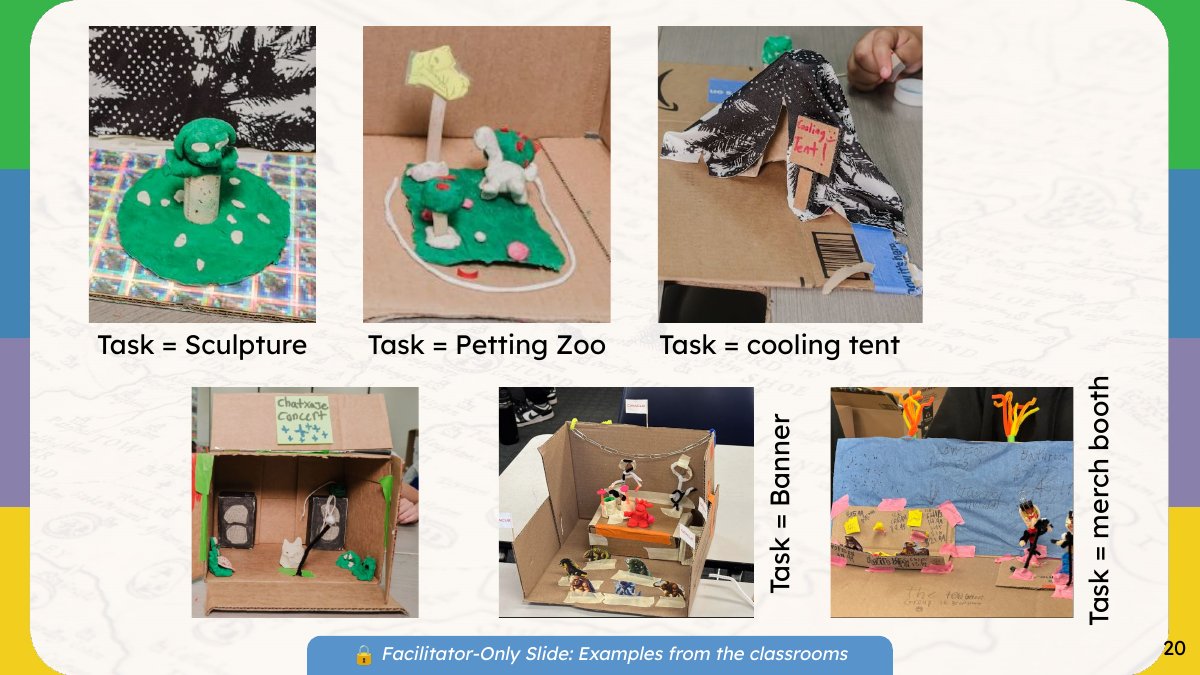
Purpose: Offers examples of how tasks and festival features can be represented in student-built models.
-
Slide 21 · Reflection: Look at your Data Habits of Mind Tracker
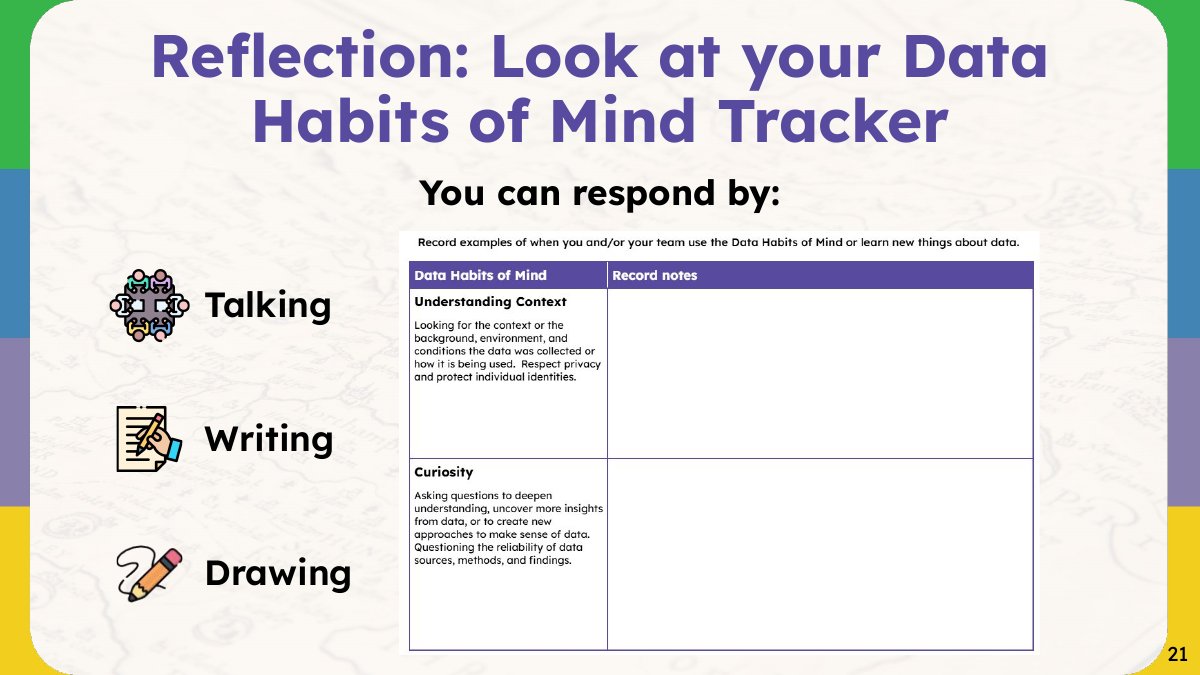
1 minNow make a connection to one of the Data Habits of Mind using your tracker. You can think about curiosity, context, communication, or perseverance. Record your connection in the tracker. You can write, draw, or use words that make sense to you. There is no one right answer. You might have used curiosity when you explored a station, context when you thought about music choices, communication when you shared with a partner, or perseverance when something felt confusing.
Do: Direct students to the Data Habits of Mind Tracker. Ask students to choose one Data Habit of Mind. Have students record a connection in the tracker. Allow multiple response modes: writing, drawing, talking first, or quiet reflection.
Purpose: Encourages students to reflect on how they used data habits of mind during the design and building process.
-
Slide 22 · Closing Ritual: Creature Reset
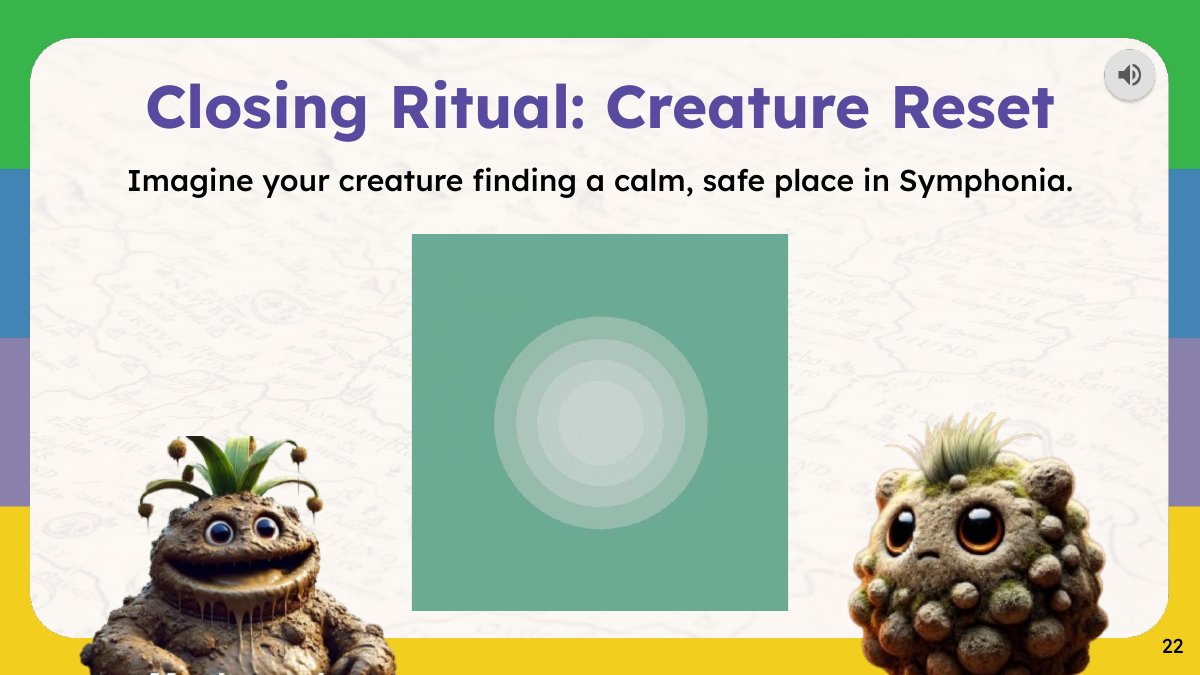
Take a moment to breathe before we move on. Imagine your creature finding a calm, safe place in Symphonia. You do not have to say anything out loud. Just take a quiet moment to reset. Use the gif to cue you when to inhale, pause, and exhale..
Do: Play the embedded audio. Give students a quiet moment to breathe or reset.
Purpose: Provides a calm and reflective ending to the lesson while helping students transition out of the learning experience.